November 5, 2025
Learning how to include a photo
U
CaptionCutAdd line aboveAdd line belowDelete
| Heart | 0 | Comment | 0 | Link |
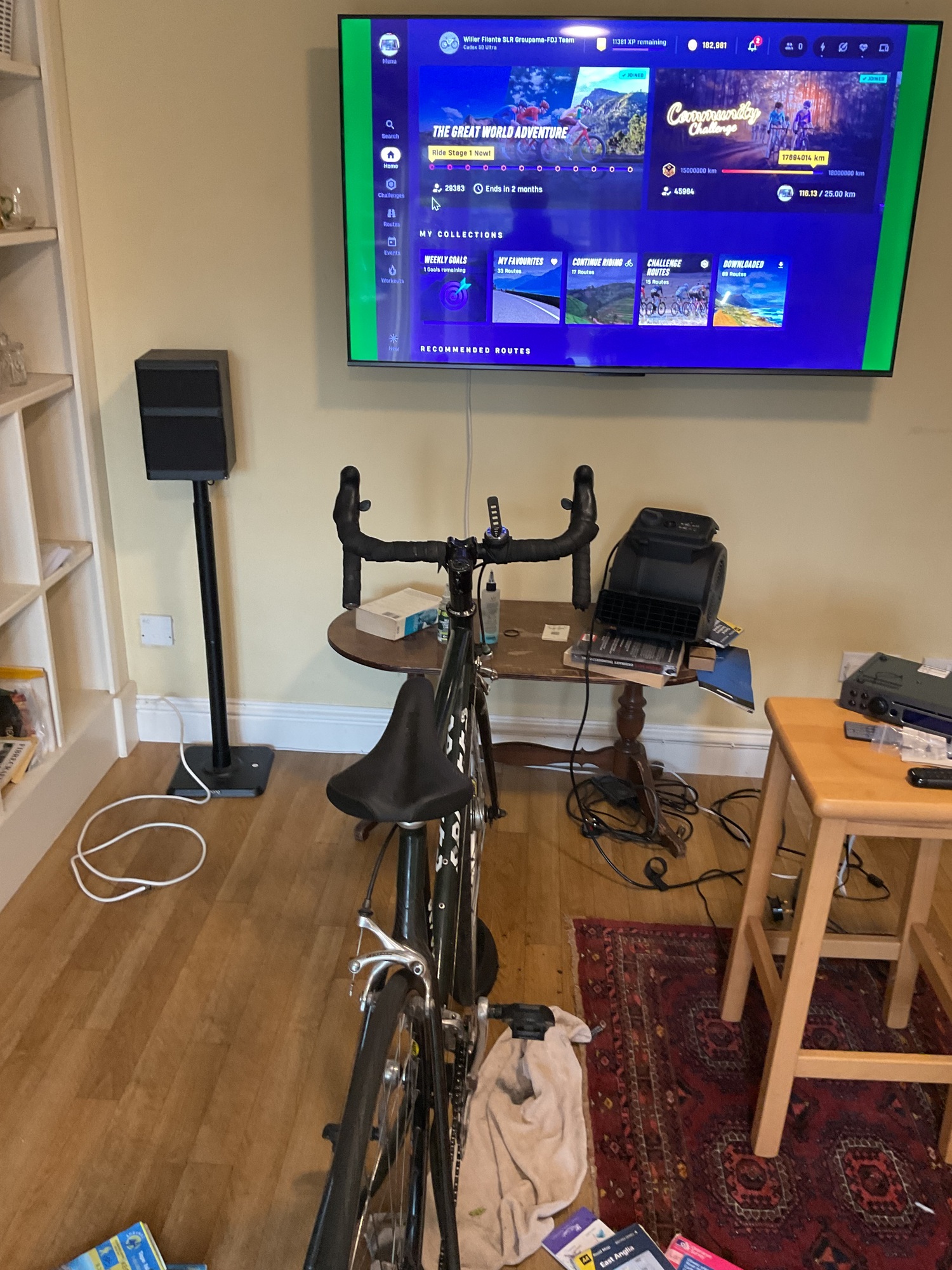
This is a second attempt at getting a photo into my journal. Successful .. but usimg an iPad, which seems unrealistic on a ride if it is carried in a rear pannier.. so must learn what camera system do people use for fast access to take an image and at the end of the day, upload easily
on the ride I will be carrying an iPhone but currently at home , so might use laptop , let’s explore how to do this .. First go did not work
as the image .. was wrongly positioned.. but 2nd shows my turbo withthe tv screening on the wall in front of me.. more learning needed. Today is a quiet day . So log in take a quick photo of my planning maps etc for next year and try the iPad upload.
Well that has worked whereas the iPhone didn’t really. So that looks like having to use iPad for photos. Not easy for quick access if in a rear pannier. More thinking and working out how best to do. Photos

| Rate this entry's writing | Heart | 6 |
| Comment on this entry | Comment | 6 |
To upload from an iPhone, when you are entering content, first touch the little camera icon on the toolbar at or near the top of the page. Once you have done that another screen will appear that is titled 'Insert Images' it has a paragraph of instruction below this describing what to do and then in a Green Text Box - are the words 'Choose Images'. Touch this and a selection box will open asking if you want to use a) Photo Library, b) Take Photo or Video or c) Choose Files.
I would suspect that the photos you've taken on your iPhone are in 'Photo Library' - that's where iPhones store them by default. Hit this and your Photo library opens, and you select the items you want to import, hit the ADD button at the top of the page, once the pictures load you can insert captions in the blank boxes beside the pictures if you wish, and then hit the green 'Insert' button and you should be more or less done.
This is essentially the same as the process on the iPad.
For what it's worth, I use an iPad to write our journals and to manage all of our pictures (taken on both a separate digital camera and my iPhone). Transferring pictures from your iPhone to your iPad is very simple. You simply use the Airdrop feature in the iOS operating system that operates both your iPhone and iPad and your pictures are almost instantly transferred from your iPhone to your iPad (or vice versa), and they are stored in the photo library chronologically (ie based on the timestamp of when the photo was taken, not when it was transferred)
I almost never take a picture with my iPad, as you've noted it is not that efficient, but the iPad is great for managing pictures and writing the blog. It stays safely stowed in the pannier during the day and the iPhone does all the image capture and navigation. The roles reverse at night.
Hope this helps.
2 months ago
Roger, I am 9 years your junior, but my husband is “only 3 years” behind you. We are not long time cycle tourists, but Cycle Blaze is our “map and guidebook” for posts and sharing it all.
When you are bike touring, making conversation with anyone is always welcome with helpful strangers.
2 months ago
I have done a journal exclusively using my iPhone as my iPad was so elderly it decided to quit very shortly after arriving in Europe last year. I have a new iPad now, so use it in the evening and use the iPhone for pictures during the day. My husband takes most of the pictures with his iPhone and we create a shared album that I work from.
You’ve got this! Welcome to CycleBlaze.
2 months ago
2 months ago
2 months ago
Phone there. But with lots of time to get myself prepared will explore this , particularly the voice to notes
2 months ago